My title page contents

This is default featured post 1 title

This is a Sandeep Mishra. I am a SEO Expert in Lucknow..

This is default featured post 2 title

Go to Blogger edit html and find these sentences.Now replace these sentences with your own descriptions.This theme is Bloggerized by Lasantha Bandara - Premiumbloggertemplates.com.

This is default featured post 3 title

Go to Blogger edit html and find these sentences.Now replace these sentences with your own descriptions.This theme is Bloggerized by Lasantha Bandara - Premiumbloggertemplates.com.

This is default featured post 4 title

Go to Blogger edit html and find these sentences.Now replace these sentences with your own descriptions.This theme is Bloggerized by Lasantha Bandara - Premiumbloggertemplates.com.

This is default featured post 5 title

Go to Blogger edit html and find these sentences.Now replace these sentences with your own descriptions.This theme is Bloggerized by Lasantha Bandara - Premiumbloggertemplates.com.

Thursday, 16 January 2014

Changes in SEO: What You Need to Know in 2014


In the spirit of a New Year's Eve edition, I'm presenting some of the most popular (according to the US Government) New Years Resolutions through an SEO lens, in the hope of spreading some good cheer and great strategy along with a very happy new year to you and yours!

The 2013 Updates
So what exactly changed in 2013? Most of what occurred came as a result of Google algorithm updates.

Panda was first introduced in 2011 to reduce the amount of content farming that was going on within websites. In 2013, Google updated Panda on multiple occasions, although this was not anything that webmasters weren’t already used to.

Penguin 2.0 (May 2013) and 2.1 (October 2013) brought more to the algorithm to fight against spam links and dish out more penalties for sites that broke the rules.


However the biggest and most significant update Google has tackled in years wasn’t an update at all — it was a massive algorithm overhaul in August 2013

Hummingbird completely changed the way sites would look at their content, keywords, and SEO strategies. It gave a heavier focus on semantic search and placed greater emphasis on the power of the Google Knowledge Graph.

Preparations For 2014
The rules, guidelines, and even major players in SEO seem to shift and adjust on a regular basis. While it is impossible to predict exactly what will happen next, it is possible to make assumptions and form strategies from there.

To have effective SEO in 2014, make sure your site is optimized for mobile users, provides quality and informative content, and has a high level of authority.


Continue to stay up to date and follow guidelines that Google lays out as you work to improve your site’s traffic and rankings.

Wednesday, 8 January 2014

Google Webmaster Tools Now Shows Exact Number of Clicks per Keyword by URL

You know the search queries report in Google Webmaster Tools? Of course you do. Do you know, you can show your top pages by impressions and clicks? Did you know that now you can see the top keywords that led to impressions and clicks to those pages?

Friday, 3 January 2014

Google Not Indexing Your Sitemap URLs? Might Be A Canonical Issue

                                           
A Google Webmaster Help thread has a webmaster all upset that Google shows that they have indexed none of the URLs they submitted via the XML Sitemap file. Obviously, this can be concerning to any webmaster.

The thing is, you need to be careful what Sitemap file you submit. If you verify a non-www version with Google Webmaster Tools and submit a www version of your sitemap, or visa versa, Google may be very literal and show you that they didn't index any non-www versions of your URL.

Google's Zineb said in the thread:

    All the URLs listed in your XML Sitemap are non www. and they all permanently redirect to the www. version (which is your preferred domain). That explains why these specific URLs are not indexed. In order to fix that, you'll need to specify the right URLs with www., resubmit your Sitemap and wait for it to be processed again.

So technically, it is an "easy fix" and the site is indeed being indexed. But a report like this can be scary to see in Google Webmaster Tools.


SEO 2014 Updation: Google Can not Crawl You Site


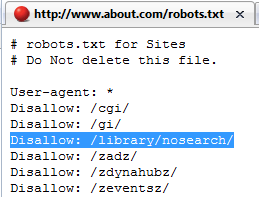
If Bot Can Not Crawl Your Robts.txt file Then we stop Crawling Your Site

Did you know that if Google cannot crawl your robots.txt file, that it will stop crawling your whole site?

This doesn't mean you need to have a robots.txt file, you can simply not have one. But if you do have one and Google knows you do and it cannot access it, then Google will stop crawling your site.

Google's Eric Kuan said this in a Google Webmaster Help thread. He wrote:

If Google is having trouble crawling your robots.txt file, it will stop crawling the rest of your site to prevent it from crawling pages that have been blocked by the robots.txt file. If this isn't happening frequently, then it's probably a one off issue you won't need to worry about. If it's happening frequently or if you're worried, you should consider contacting your hosting or service provider to see if they encountered any issues on the date that you saw the crawl error.


Thursday, 5 December 2013

6 Main Google Changes Demonstration the Future of SEO (Search Engine Optimization)


The last few weeks have been amazing. Google has made some big changes and they are all part of a longer term strategy that has many components.
You could argue that "tactical SEO is dead", but that's not quite right. And don't run around saying "SEO is dead" because that is far from the truth, and I might just scream at you.

The Main Changes are:

1. '(Not Provided)'

Losing Google keyword data is sad for a number of reasons. This impacts publishers in many ways, including losing a valuable tool for understanding what the intent of customers that come to their site, for conversion optimization, and much more.

For tactical SEO efforts, it just means that keywords data is harder to come by. There are ways to work around this, for now, but it just won't be quite as simple as it used to be.

2. No PageRank Update Since February

Historically, Google has updated the PageRank numbers shown in the Google Toolbar every 3 months ago or so, but those numbers haven't been updated since February. This means 8 months have gone by, or two updates have been skipped.
In addition, Google's Distinguished Engineer Matt Cutts has said Toolbar PageRank won't be updated again this year, leading many to speculate that PageRank is going away. I won't miss it because I don't look at PageRank often and I normally don't have a Google toolbar in my browser.
However, a lot of people still use it as a crude measurement of a site's prominence.

For sites with a home page that has PageRank 7 or higher, it may in fact be reasonable to assume that the site has some chops. Correspondingly, sites with a home page that has a PageRank of 3 or lower, it is either new, or probably a low quality experience. Stuff in the middle, you just don't know.

3. Hummingbird
If the idea that SEO is dead crosses your mind or turns up in print, dismiss it. The fact is that nothing is really going to change in the way that we pursue the almighty ranking, with the possible exception of the resurgence of the long tail keyword, which was working its way back into our hearts anyway. Everything that worked before Hummingbird’s release will still work moving forward.

4. Google+

OK, this one isn't new. Google launched Google+ June 28, 2011.
While it seemed to get off to a slow start initially, many argue that it has developed a lot of momentum, and is growing rapidly. The data on Google+'s market share is pretty hard to parse, but there are some clear impacts on search, such as the display of personalized results:

5. Authorship

OK, authorship also isn't new (launched on June 7, 2011), but it is a part of a bigger picture. Google can use this to associate new pieces of content with the person who wrote it.

Over time, this data can be potentially used to measure which authors write stuff that draw a very strong response (links, social shares, +1s, comments) and give them a higher "Author Rank" (note that Google doesn't use this term, but those of us in the industry do).
We won't delve into the specifics of how Author Rank might work now, but you can read "Want to Rank in Google? Build Your Author Rank Now" for my thoughts on ways they could look at that.

That said, in the future you can imagine that Google could use this as a ranking signal for queries where more comprehensive articles are likely to be a good response. Bottom line: your personal authority matters.

6. In-Depth Articles

Often when you're searching on Google for a person or organization name, or other broad topic, you'll find a block of search results labeled "In-depth articles." These results provide high-quality content to help you learn about or explore a subject. While the feature is based on algorithmic signals, there are steps you can take as a webmaster to help Google find your high-quality, in-depth content and best present it to users in the search results page.


Friday, 25 October 2013

Google Matt Cutts Hints At Upcoming SEO Changes At PubCon


Matthew "Matt" Cutts currently heads the Webspam team at Google. He works with the Search Quality team on search engine optimization issues.
One of the highlights of the year for me is Matt Cutts talk at PubCon. So me not being there, being 6,000+ miles away, was unfortunate. It was the first PubCon I've missed in, well, I can't remember.
Anyway, there was some excellent note taking of his presentation, plus PubCon streamed it live, so I saw a glimpse of it. I wanted to pull out the highlights and most important things Matt shared, specific to topics SEOs should be concerned with for the end of this year and 2014.
First, the live blogging I took this from include Bruce Clay, Search Engine Journal, Pole Vault Media, Search Mojo, Search Engine Land and Google+ via Brian Patterson. Of course, there is a ton of Twitter action from the event.

  *  Black Hat Hacking will be a core topic Google's web spam team will focus on. They hope to go after the hard core hacking tactics and reduce that impact on the search results.
  *  Child pornography will be blocked significantly in all countries, not just the US.
    *Toolbar PageRank may or may not be fixed. The "pipeline" to export the quarterly data broke and Google has no immediate plans to fix it.
   * Mobile is going to be a key area in 2014, so pay attention to it.
  *  Autocomplete, look to add requestAutocomplete to your forms.
  *  Top Ad Heavy Algo will get refreshed in a big way, see the previous update over here.
  *  Authorship 15% Reduction - Google is going to get picky on who they show authorship rich snippets for. So don't be surprised if yours goes away, look for ways to make yourself more authoritative. This includes rich snippets for your site

Saturday, 5 October 2013

Types of URL Redirections - 301, 302 and other Redirects in SEO


Response codes impact every page, image and file on your website.
A visiting search engine bot figures out what to do based on those codes. Incorrect response codes can cause:
  • Indexation problems;
  • Duplicate content;
  • Site performance problems;
  • All manner of other site higgledy-piggledy.
301 Permanent redirect-
The most common use for redirecting users from old places to new ones is through using the 301-redirect which basically tells the server that some content has permanently moved from one place to another.
301 redirects helps in proper passing of the link juice without seriously affecting the search engine positioning of the website.
302, 307 Temporary redirect
This was previously debated to be equal to the 301 redirect with regards to SEO purposes. I think the debate is killed nowadays as it is pretty evident that the 301 works a lot better, even if temporary. Basically it tells the requesting server that the content is there, only just not now. It also tells the server that it should continue to request the “old” place in the future as well as the content will return to there in a while.
307 redirects are temporary in nature and are mostly used by web developers.
303 Use GET method to retrieve
This is basically telling the server to use a specific method to fetch the information on the server and is not applicable in this exercise. 303 redirects are "see other" redirects. It tells the search engines that the requested resource exists on a different url. This type of redirect does not passes the link value and should be avoided.

304

304 redirects tells the search engines that the requested resource is not modified. Hence these are known as "Not Modified" redirects.

305 Use Proxy to fetch
The 305 redirect tells the agent that the resource requested must be fetched via proxy.
305 redirects tells the agents to locate the resource using a proxy. The location field must be specified that contains the URL of the proxy.
  
404.
 Page not found. If a file simply doesn’t exist, your server should deliver a 404 status. You can use a 410 response if you want Googlebot to retry the bad URL less frequently.

 
ssss